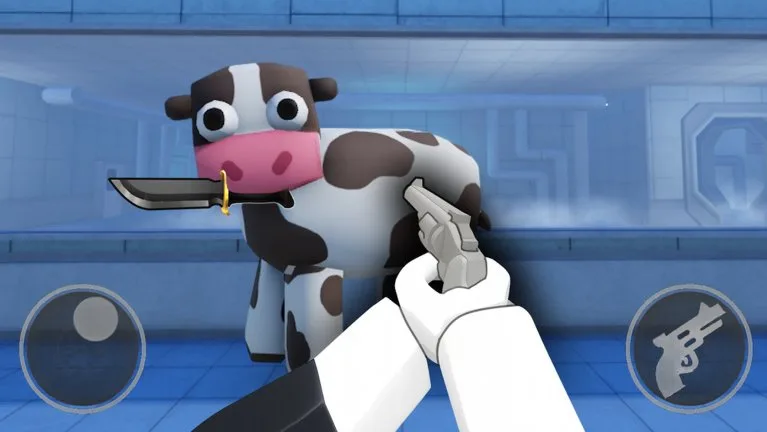
Movement is standard Roblox. Desktop uses WASD, Space to jump, and Shift to sprint where the map allows it. Mobile uses the thumbstick. Console uses the sticks.
Two extra keys matter in this game. C crouches under low cover. Shift Lock, toggled with Shift on desktop or enabled in the Roblox menu, points your body with the camera. Turn it on before you blame a missed knife on the hitbox.
Cow knife
You do no damage in human form. Drawing the knife is the transform.
| Platform | Transform and attack | Throw |
|---|---|---|
| Desktop | Press 1 to toggle the cow form and the knife | Press E. Some players also need the Roblox tool-activation bind, which can be right-click |
| Mobile | Equip the knife so the throw button appears on the right | Tap throw while Shift Lock is on, or the throw goes where the body faces, not where you think the camera faces |
| Console | Equip the knife. Reports use the left trigger to throw | Aim assist does not snap the knife to a head |
The throw is line of sight. On Arcade Crash, step out of clutter before you throw. A miss has a short recovery. If the button is missing, the knife is not equipped.
Security gun
| Platform | Fire |
|---|---|
| Desktop | Equip the sidearm, aim, left-click or your tool key |
| Mobile | Equip, then tap the shoot button |
| Console | Right trigger after the gun is equipped, in player reports |
The gun is lethal to the Cow and illegal on a Researcher. See Security tactics.
Researcher
You only have movement and the interact prompt. Desktop interact is E when a prompt is up, mobile uses the on-screen interact button, and console uses the face button Roblox shows. That prompt is for doors, shop terminals, eggs, and chests. It is not a weapon.
If input dies mid-round
- Re-equip the tool. Kill animations can lock you for about a second.
- Rejoin if every button is late. That is server latency, not a new keybind.
- On a small phone, lower the Roblox UI scale when the throw and shoot buttons overlap.
- Test Shift Lock for five rounds before you decide the knife is broken.
Lobby shop clicks do not remap combat keys. VIP does not add a button.